
Your whole game,
one sleek client.
Astra is an all-in-one Gorilla Tag client. A floating menu, a watch that turns into a scanner, a stream camera, a mod checker and a one-click launcher that installs everything for you.
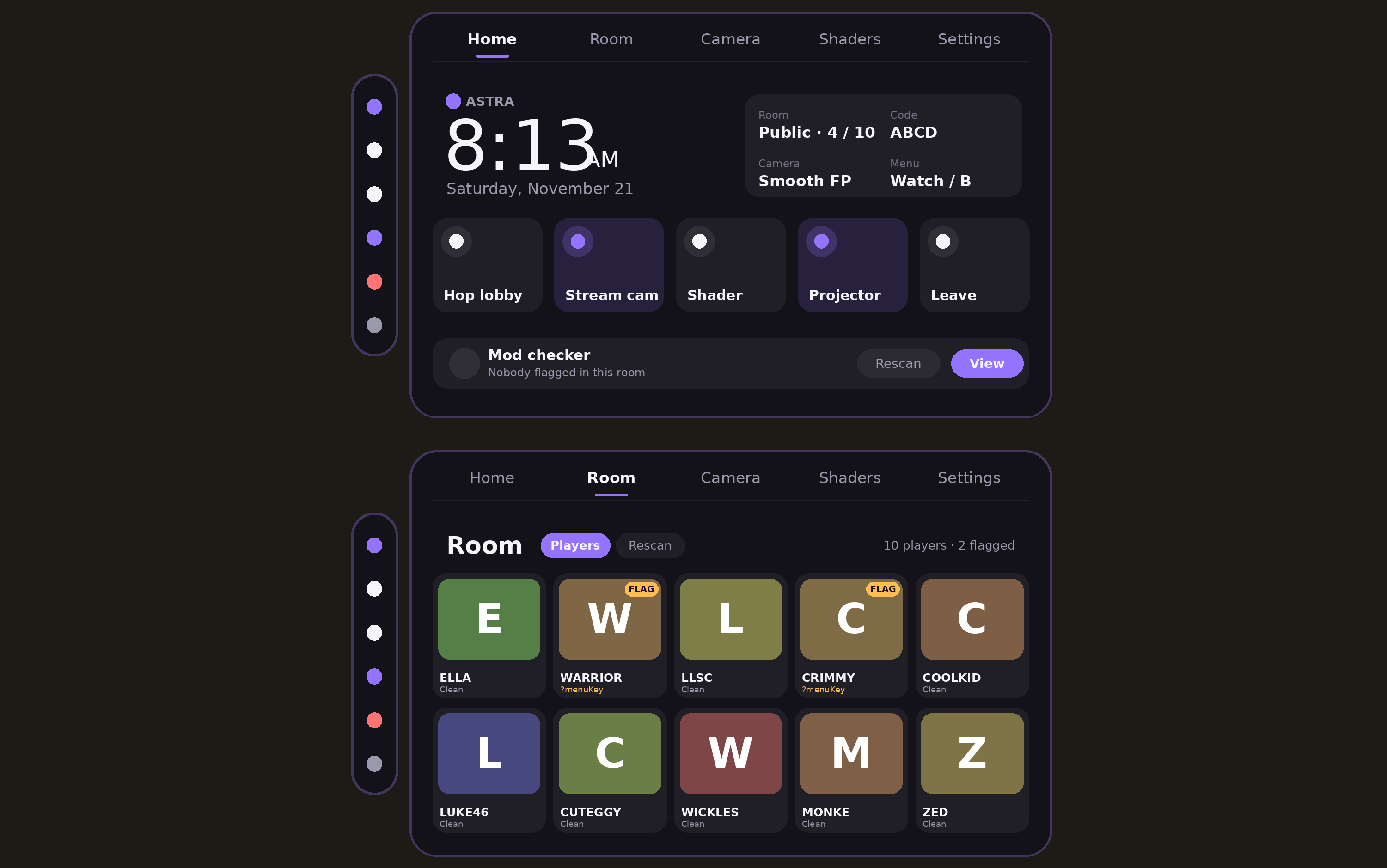
Everything you'd install five mods for, built to work together.
Astra is a BepInEx mod for the PC VR version of Gorilla Tag. Instead of stacking separate menus, cameras and checkers that fight each other, Astra puts them in one place with one look: a purple, glassy UI you open from your wrist. It handles lobbies, friends, voice, outfits, weather, shaders and music in normal lobbies, and unlocks a full Mods page when you're in a modded lobby.
Packed, but never cluttered.
Floating menu
Eleven tabs: Home, Lobby, Friends, Join, Mic, Voice, Outfits, Weather, Shaders, Music and Settings, with an icon rail for quick actions like rejoin, new lobby and leave.
The Astra watch
Place it on your hand once and it stays there. Tap to cycle faces (clock, FPS and ping, speed, room, session), double-tap to open the menu.
Watch scanner
Hold the trigger and the watch transforms into a scanner. Sweep the whole lobby or beam one player to see who's running mods.
Mod checker
Flags players with known cheat signatures or on the community cheater list, and pops an alert on your watch when they join.
Stream camera & Astra Cam
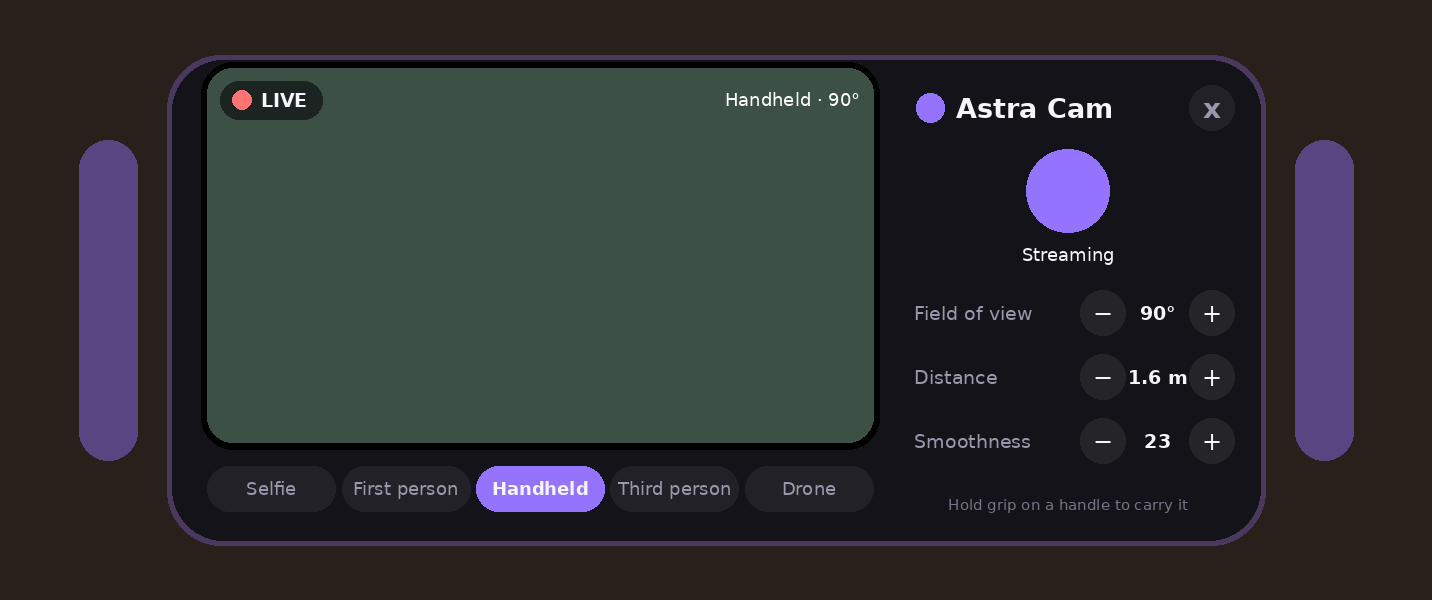
A desktop-only spectator cam with smooth first-person, third-person, selfie, static and drone modes, plus a handheld Astra Cam you can hold and take photos with.
Hologram & 25 mods
Project a hologram panel from your hand. In modded lobbies it opens a full Mods page: movement, guns like teleport and portal, and fun extras.
Shaders & weather
Restyle the forest with colour shaders and switch time of day and weather locally without touching anyone else's game.
Sound that feels right
Every click, tab, scan and shutter has its own synthesized sound effect, with a volume slider in Settings.
Little extras
Friend markers above heads, session stats, join alerts, streamer mode that hides room codes, purple stump boards and accent colours.
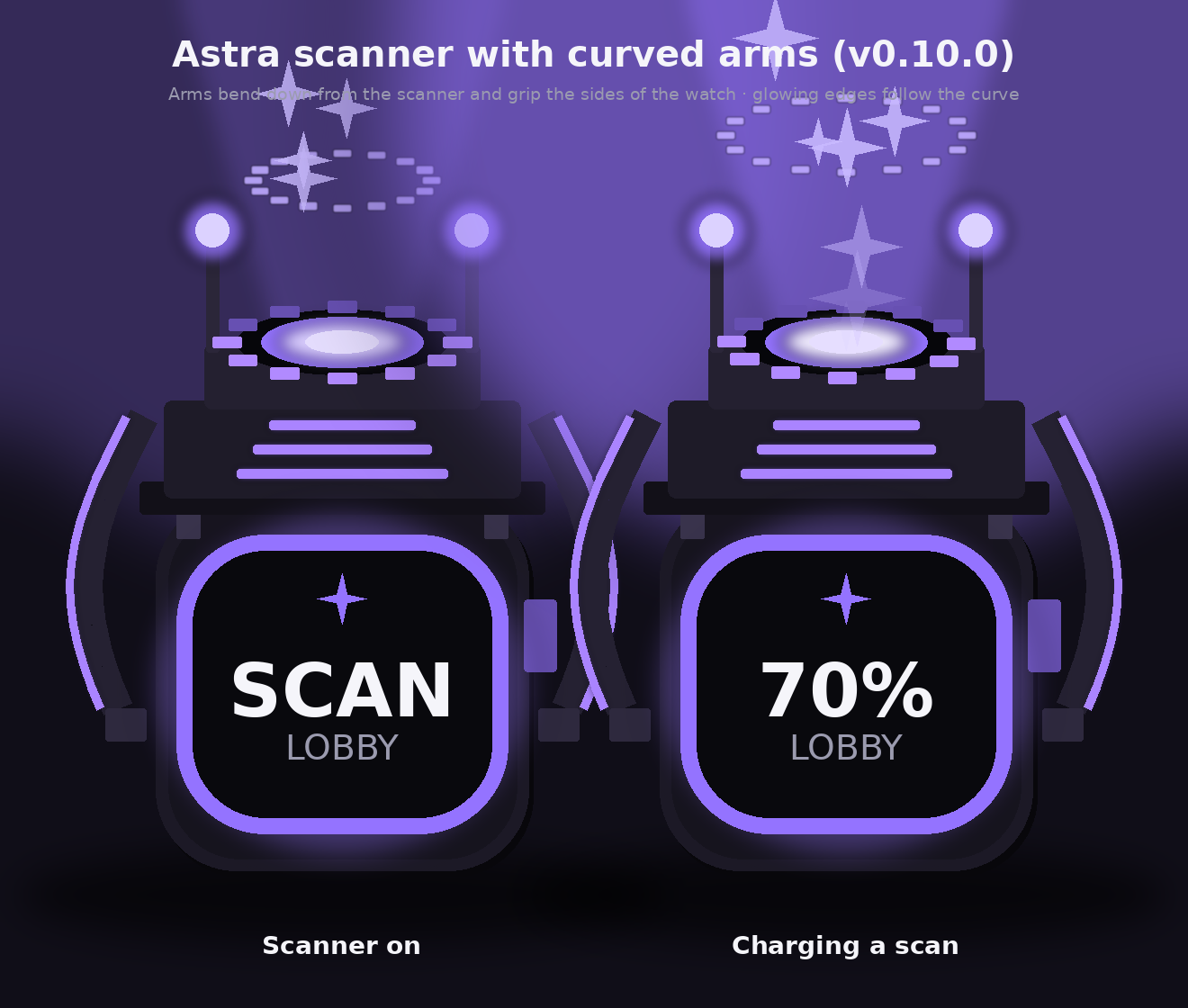
A watch that becomes a scanner.
Squeeze the trigger on your watch hand and curved arms fold out, a glowing core lights up and a beam of Astra purple reaches across the map. Let go and it folds back into a watch.
Sends a wave through the whole room and lists every player it finds.
Locks a beam onto one player and shows a pillar and star burst when the scan completes.
Opens the scanner's own menu above your watch to switch modes and read results.
Record without the headset view.
The stream camera renders only to your desktop, so viewers get smooth cinematic shots while you play normally in VR. Grab the Astra Cam from the side rail to hold a real camera in your hand and snap photos.
Install once. Updates take care of themselves.
The Astra Launcher is a small Windows app that does the setup for you.
Finds your game
Detects your Steam or Oculus Gorilla Tag install automatically.
Installs BepInEx
Sets up the mod loader and drops Astra in the right folder.
Auto-updates
Checks for new releases and updates both Astra and itself.
Settings in one place
Change Astra's options without digging through config files.
Up and running in a minute.
You need the PC VR version of Gorilla Tag on Windows.
Download the launcher
Grab AstraLauncher.zip from the latest release and unzip it anywhere.
Press Install
The launcher finds Gorilla Tag, installs BepInEx and adds Astra.
Launch and place your watch
Start the game, hold the watch where you like it and press a trigger to lock it in.
Double-tap to open the menu
Or press B. That's it.
| Action | Control |
|---|---|
| Open menu | Double-tap the watch, or B |
| Cycle watch face | Tap the watch once |
| Scan | Hold the trigger on your watch hand |
| Scanner menu | Y |
| Re-place the watch | Settings → Place watch |
Questions
Will Astra get me banned?
Astra's everyday features (menu, watch, camera, shaders, scanner) only change your own game. The movement and gun mods are locked to modded lobbies, where mods are allowed. Using any mod is still at your own risk.
Does it work on Quest standalone?
No. Astra is a BepInEx mod and needs the PC version of Gorilla Tag (Steam or Oculus PC, including Quest via Link or Air Link).
Can other players see my menu or camera?
No. The menu, watch and scanner are local to you, and the stream camera renders only on your desktop.
How do updates work?
The launcher checks for new releases when it opens and can update Astra and itself in one click.
How do I uninstall?
Delete Astra from the BepInEx plugins folder, or remove the whole BepInEx folder to go back to the unmodded game.